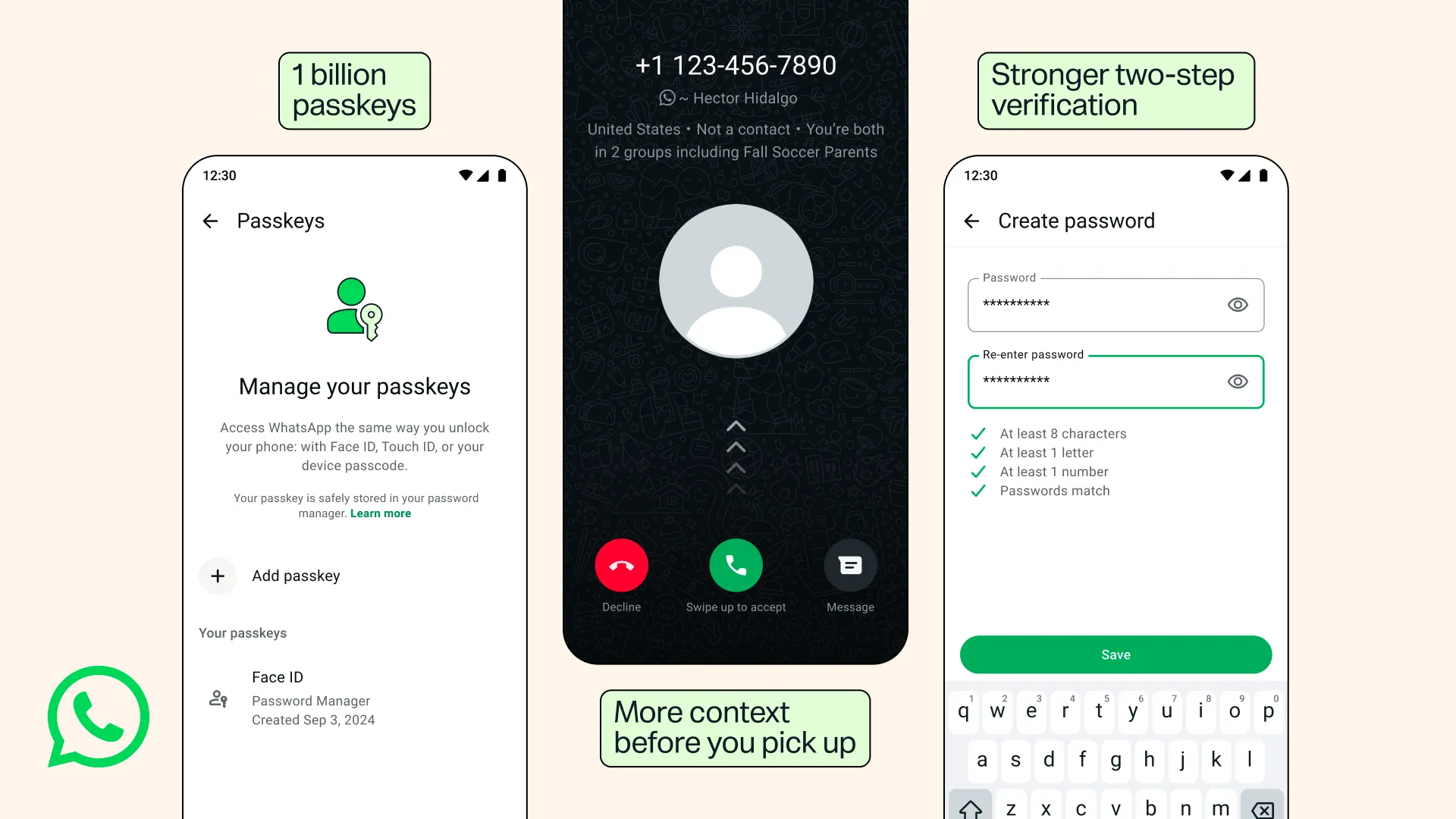


End-to-end encryption has been the default for years on WhatsApp, meaning your messages stay between you and the people you’re talking to. But encryption alone doesn’t stop someone from hijacking your account if they get hold of a verification code.
That’s why the company keeps layering on smarter protections, and it rolled out three thoughtful updates that make your account harder to steal and a little easier to manage in everyday life.
Passkeys hit one billion users and now work across your devices

The biggest headline is the quiet milestone around passkeys. More than one billion people have already set one up. A passkey lets you log back into WhatsApp using the same fingerprint, Face ID, or screen lock you already use to open your phone.
No more waiting for SMS codes that can be intercepted or delayed. No more typing six-digit numbers while standing in a crowded train. It’s simply the fastest and most secure way to prove it’s really you. What’s new is that you can now add more than one passkey to the same account.
If you hop between an Android phone and an iPhone — maybe one for work and one for personal use — you no longer have to choose. Each device can hold its own passkey, so switching feels seamless rather than like starting over.
To set one up or add another, just open Settings, tap Account, then Passkeys. The whole process takes less than a minute once your device’s password manager is ready.
When passkeys first arrived on WhatsApp a couple of years ago. Plenty of people treated them as a nice-to-have. Now, with a billion users already onboard, they’ve become a mainstream safeguard. Passkeys work because the cryptographic keys live on your device and never leave it in a form that phishing sites can steal.
An attacker would need physical access to your unlocked phone, which is a far higher bar than tricking someone into handing over a code. WhatsApp has even extended the same technology to protect end-to-end encrypted chat backups, so restoring your history no longer requires memorizing a long recovery key.
Two-step verification finally gets a proper password
The second change strengthens an older but still vital tool: two-step verification. Until now it relied on a six-digit PIN — the same kind of short number many of us set years ago and then forgot about.
That PIN acted as a second gate. Even if someone somehow obtained the one-time code sent by SMS, they still needed the PIN to register your number on a new device. The problem was that six digits are easy to guess, especially when people reuse sequential ones like 123456.
WhatsApp has upgraded it to a full password: longer, able to mix letters, numbers, and special characters. The extra complexity makes brute-force guessing dramatically harder.
If you’ve been coasting on a weak PIN, this is the gentle (or not so gentle) nudge to change it. The feature remains optional, but in an era of sophisticated account-takeover attempts, leaving it off feels increasingly reckless.
More clues before you pick up that unknown call
Finally, there’s a small but practical improvement for Android users who get calls from numbers not saved in their contacts. Scammers thrive on urgency — they call, invent a crisis, and push you to answer before you can think. Now WhatsApp gives you a moment of breathing room by showing extra context right on the call screen.
You’ll see whether the number is from a different country and whether you share any groups with the caller. It’s not a perfect spam filter, and it doesn’t claim to be. But it turns a pure unknown into something slightly more informed.
You can decide, based on a couple of quiet clues, whether this is worth interrupting your afternoon. iOS users don’t have the feature yet, though the pattern of recent updates suggests it may arrive later.
A steady push against smarter threats
These changes sit inside a larger pattern. WhatsApp serves more than three billion people across the globe. Account takeovers, SIM-swap attacks, and social-engineering scams have grown more creative, so the company has responded with steady, practical defenses rather than flashy overhauls.
Earlier this year it introduced stricter privacy modes for high-risk users and local machine-learning alerts that flag potential scam chats. The new passkey flexibility, stronger two-step passwords, and caller context continue that same quiet work of raising the cost for bad actors while keeping the experience simple for everyone else.
None of these tools replace common sense. Don’t share verification codes. Be wary of unexpected calls claiming to be from banks or delivery services. But the updates do remove some of the friction that used to make stronger security feel like homework. Setting up a second passkey takes seconds.
Replacing an old PIN with a proper password takes about the same. And the next time an unfamiliar number rings on Android, you’ll have a little more information before you decide whether to pick up.


