


This week Mozilla the maker of the popular Firefox browser has announced a new product that could give Firefox users even more privacy on the web: the Firefox Private Network, which claims to be “a secure, encrypted path to the web” — essentially, a Firefox-made VPN (though Mozilla never calls it one).
The Firefox Private Network seems like it could be useful, but it does have its limits. It’s a browser-based VPN, so it won’t mask anything you’re doing on the internet outside of Firefox — you’d need to install a dedicated VPN app if you want to protect more of your internet traffic. Mozilla recommends using Firefox Private Network if you want to have an encrypted connection while using Firefox on a public Wi-Fi network or if you just want to better hide from ad trackers.
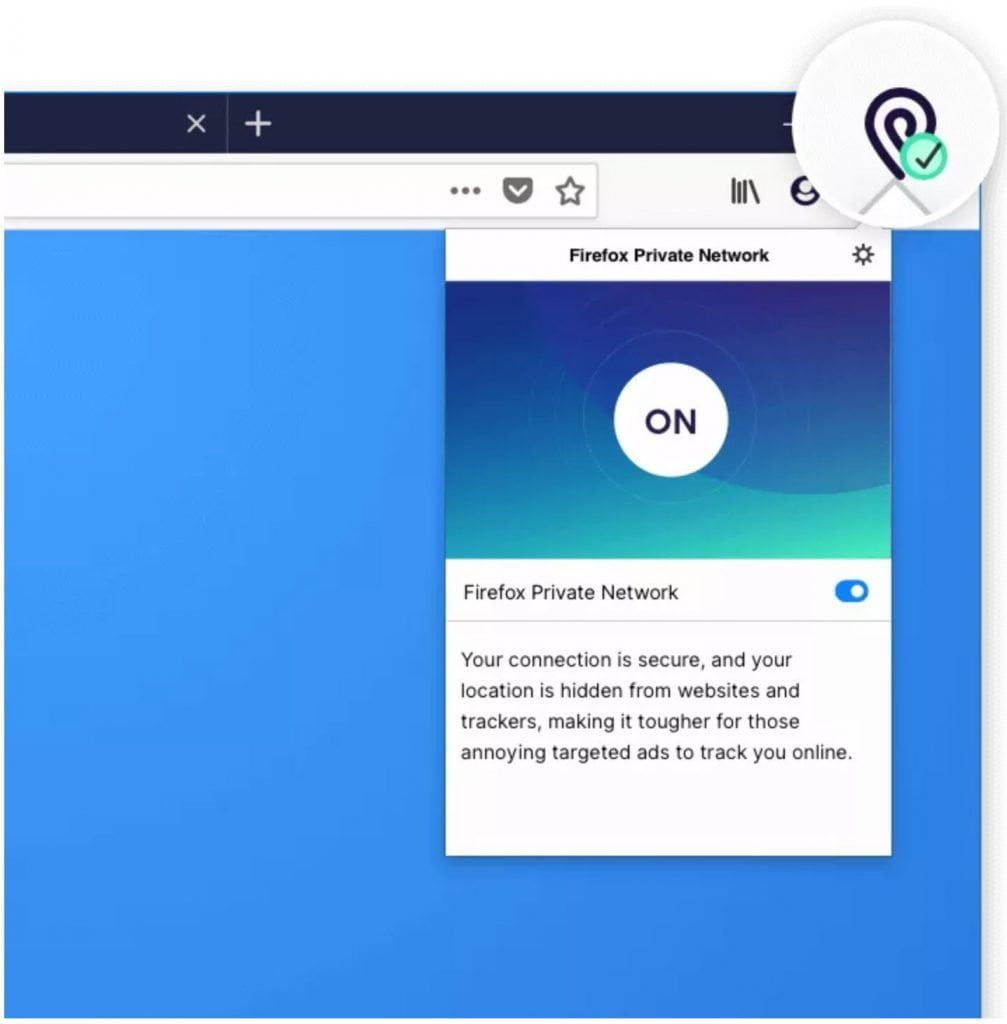
Unfortunately, if you want to try the Firefox Private Network, which is free, but in beta, you’ll have to be US-based, using Firefox on your desktop or laptop, and logged into your Firefox account. If you are, install the Firefox Private Network from this page, click the icon that shows up in your toolbar, and a small menu will drop down where you can switch the VPN on or off.

Mozilla says Firefox Private Network will be “free for a limited time,” suggesting it may become a paid service in the future — which isn’t exactly a surprise. Mozilla’s CEO recently said Firefox intends to offer a paid subscription service for “premium” features in October and that bandwidth for a VPN service could be one of them.


