


We are sure Android users have seen those huge cool memojis Apple users are using on WhatsApp and drooled over them. Although it may seem impossible, it is indeed possible to use and send iPhone Memoji on WhatsApp from your Android smartphone. The procedure is not necessarily simple but should delight Android users who are fond of these characters.
What are Memoji’s anyway? Apple’s emojis are no more than personalized Animoji created by Apple. They allow you to create a mini comic strip version of your face (or another person’s, if you wish). It is possible to customize skin color, hair, eyes, mouth, glasses, facial hair, facial shape, etc. In other words, it is the Apple version of Bitmoji on Snapchat or AR Emoji on Samsung.
The creation of these Apple’s emojis is done from the Messages application. With iOS 13 and iPadOS, your Memoji becomes a pack of stickers accessible from your keyboard. To create Apple’s emojis, here is the procedure to follow:

- Open the Messages application
- Press the Animoji (monkey) icon and scroll to the right
- Click on New Memoji
- Customize the characteristics of your emoji and validate
- Your Animoji is created and a Memoji sticker pack is then automatically created!
How to use Memojis on Android
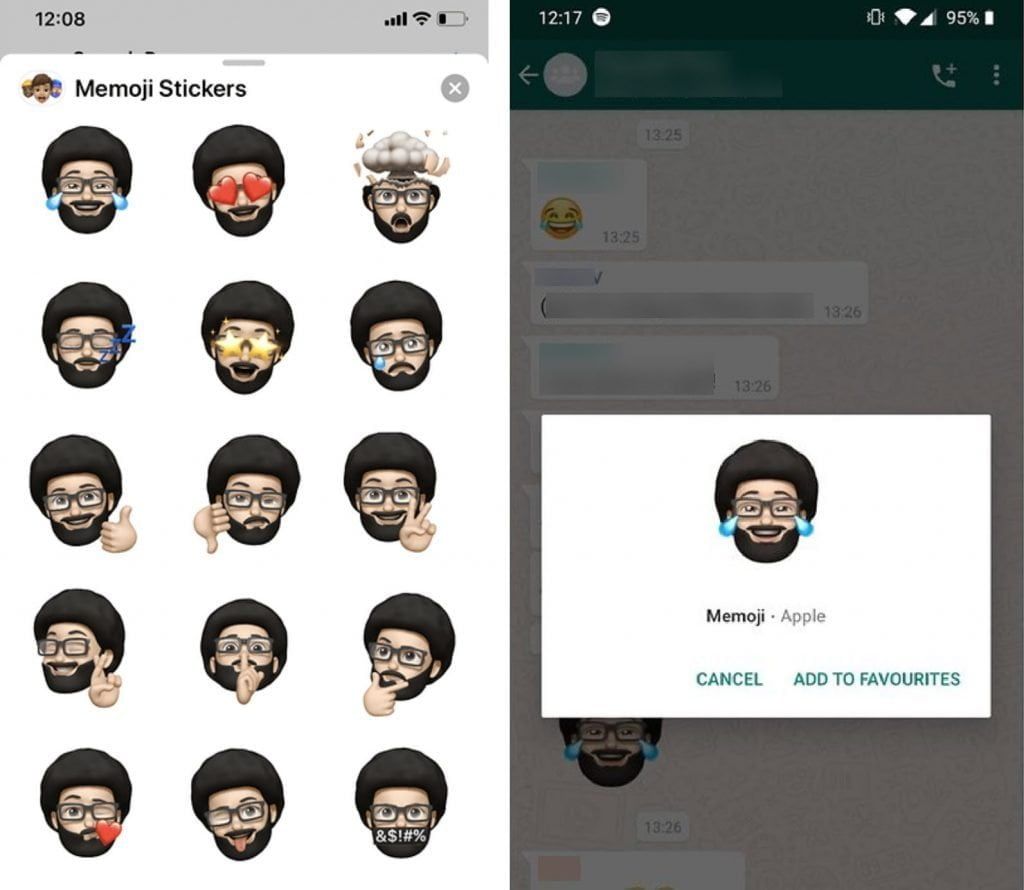
Before you start, know that you will need a friend or acquaintance using an iPhone on iOS 13. Then ask him to create a Memoji with your likeness (or a emoji to your liking). Then from his iPhone, follow these steps:
- Open WhatsApp on the iPhone and create a discussion with you
- Press the text entry field
- Click on the Emoji icon on the keyboard and click on the three points -“…”
- Then select the Memoji you want and send them
Take back your Android smartphone and follow these steps:
- Click on each sticker and save your sticker by selecting Add to Favorites
- The Memojis are then saved in your WhatsApp stickers
To send your Memoji to one of your friends, simply access your WhatsApp stickers. Unfortunately, it is not possible to save them on your Android keyboard to send them via SMS.


