


After rolling out Petal Search and Petal Maps to replace Google Search and Maps respectively, Huawei is now doubling down with a Gmail replacement called Petal Mail. According to the information, Huawei Petal Mailbox is an e-mail service task name for individual consumers. The company is now testing Petal Mail, which allows the interested users to experience services ahead of the official release. The service is currently limited to Chinese customers.
Customers who want to try out Petal Mail via the web can log in to www.petalmail.com through their PC/laptop. The top three feedbacks in the public test will be rewarded with $15.44, we expect feedback from users to be based on the features already available on Gmail.
The logo (featured image) of Huawei’s Petal mail service depicts an envelope. When a user is logged in, they will have similar options we find on most email apps and services including; Inbox, Starred, Draft, Sent, Trash and Spam.

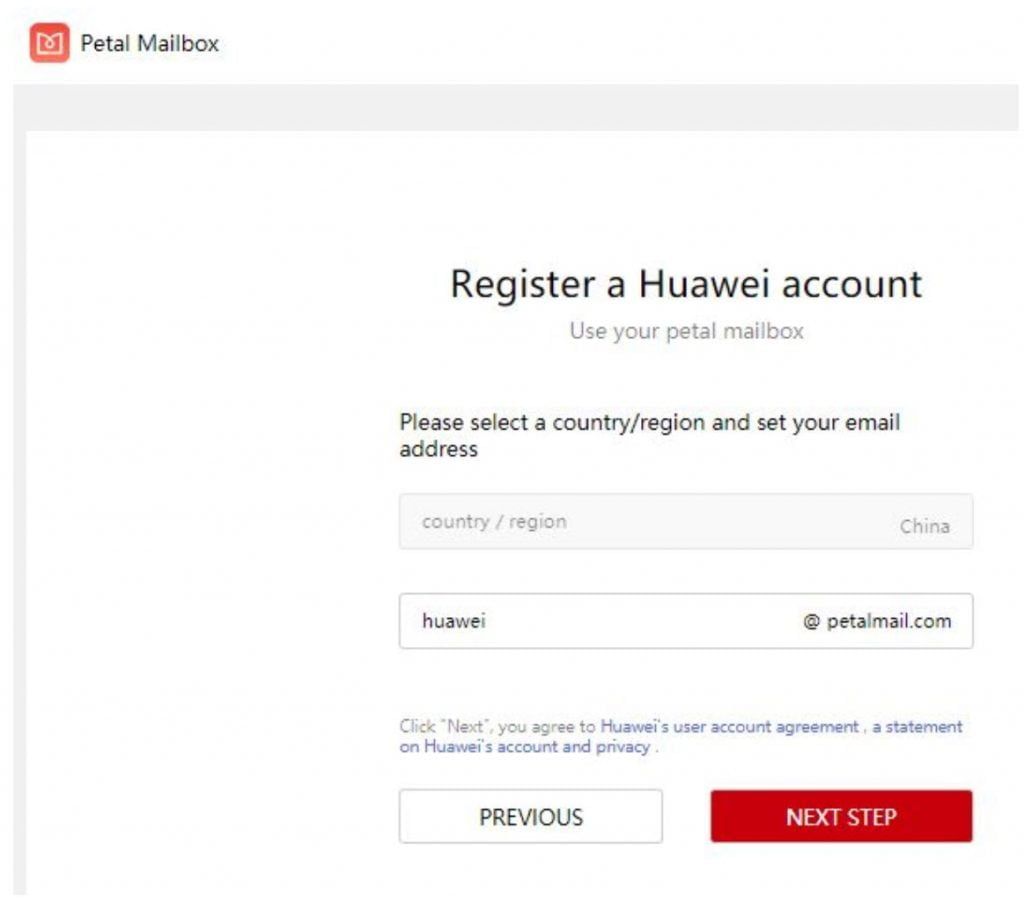
The Petal Mail address extension is followed by @petalmail.com. After account registration and verifying details such as mobile number, users can enter the web page version of Petal Mail and experience the e-mail services.


