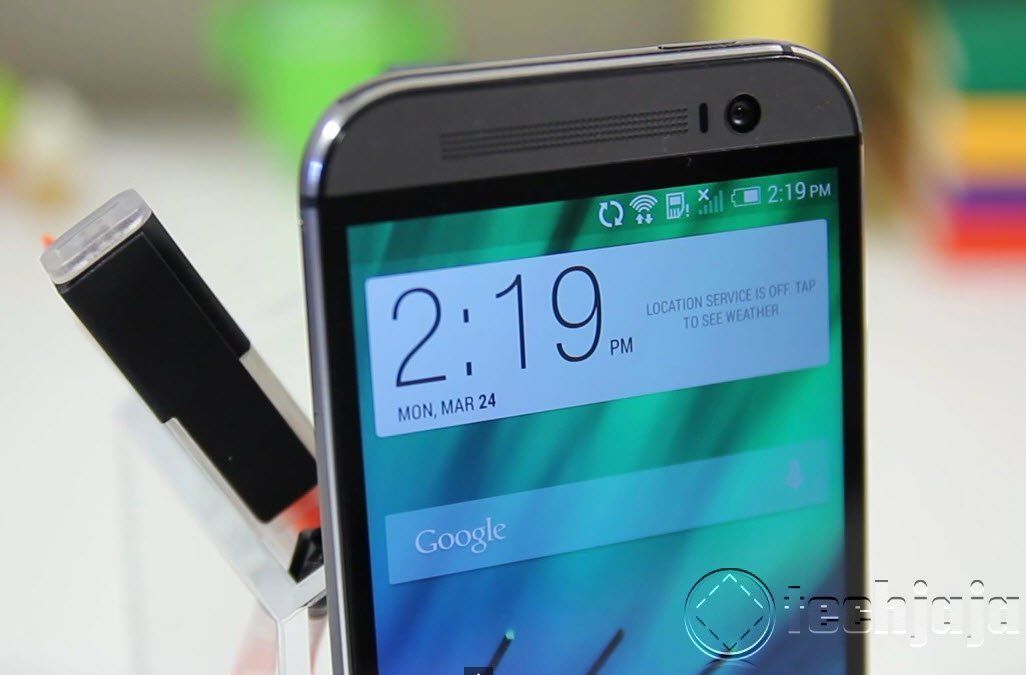
HTC One M8 Android 5.0 Lollipop Update is now seeding

The wait for the latest version of Android 5.0 Lollipop on the HTC One M8 is over, today HTC has officially started seeding out this update, after just over two months of waiting since Google first released the software back in November. HTC promised quick and timely updates for many of its smartphones, and today they’ve started delivering exactly that in the form of the HTC One M8 Android 5.0.1 Lollipop update for unlocked and developer devices.

- Advertisement -

The update is over 584.83 MB so better have a WiFi connection to download it. To update go to settings -> About -> Software Update.

[blockquote]

- Advertisement -

[/blockquote]

Today Mo Versi, HTC’s VP of product marketing took to Twitter like he’s been doing for months and months, and shared the good news you see above. Confirming the HTC One M8 Unlocked and Developer Edition smartphones will start getting the Android 5.0.1 Lollipop update tonight. I just got my update and ready to give Android 5.0 on the HTC a spin.

See change log in screenshot below
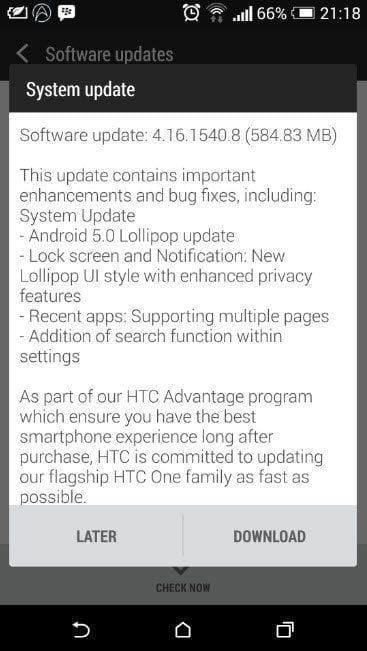
HTC M8 change log for Android 5.0 lollipop


- Advertisement -

IN THIS STORY STREAM

Roger Bambino
Roger Bambino
The love for gadgets and technology is deeply rooted in his DNA, he is a blogger and really obsessed with cool devices. Roger is the EIC at Techjaja and also he loves creepy movies, and takes you very, very seriously. May be!!
/** * RECOMMENDED CONFIGURATION VARIABLES: EDIT AND UNCOMMENT * THE SECTION BELOW TO INSERT DYNAMIC VALUES FROM YOUR * PLATFORM OR CMS. * * LEARN WHY DEFINING THESE VARIABLES IS IMPORTANT: * https://disqus.com/admin/universalcode/#configuration-variables */ /* var disqus_config = function () { // Replace PAGE_URL with your page's canonical URL variable this.page.url = PAGE_URL; // Replace PAGE_IDENTIFIER with your page's unique identifier variable this.page.identifier = PAGE_IDENTIFIER; }; */ (function() { // REQUIRED CONFIGURATION VARIABLE: EDIT THE SHORTNAME BELOW var d = document, s = d.createElement('script'); // IMPORTANT: Replace EXAMPLE with your forum shortname! s.src = 'https://thetechjaja.disqus.com/embed.js'; s.setAttribute('data-timestamp', +new Date()); (d.head || d.body).appendChild(s); })();Please enable JavaScript to view the comments powered by Disqus.

Fresh Tech

- Advertisment -