


Instagram is one of the most prevalent social networks in use these days. They were once edging closer to 1 billion users. The certified Android and iOS mobile apps permit users to capture or upload pictures and videos plus intermingle with their followers and users they follow themselves. Most people access their Instagram accounts on Mobile devices. However, I’ll show you why you must try Browser Instagram.
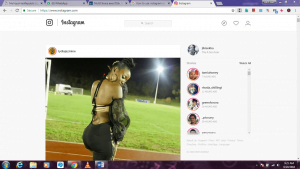 The photo sharing Facebook owned app is principally preordained to be used from mobile devices via the official Instagram app. However, Instagram can be accessed and used from web browsers as well. So, if you don’t want to keep checking your phone at work, I’ll show you how and why you should check out Instagram online from a laptop, desktop computer or even mobile device browser.
How to use Browser Instagram
- Head over to Instagram.com in your favorite browser.
- Log in to your account or create a new account if you don’t already have one.
- After successful log in, you’ll be taken straight to your news feed tab that has an analogous layout to what you are used to on the mobile app.

Before we get into the rewards of Browser Instagram, here are some limitations.

Browser Instagram provides almost all tools you get in the mobile app, except posting new content. There’s presently no choice to upload, edit or post new photos and videos to your account from the browser. The mobile apps reserve all the rights to add content.
As part of the can’t dos of Browser Instagram, you can’t connect with Facebook friends, see posts you’ve liked, set up two-factor authentication, manage your blocked users, make your profile private/public, switch to a business profile, clear your search history and do a few other things that you can only do through the app. However, you temporarily disable or permanently delete your Instagram account via the web and not through the app.
Regardless of the confines of using Browser Instagram, it’s a great way to easily browse feed, discover new content, configure your user settings, and interact with other users. This is a great option if you’ve lost appetite for small phone screens. You can still enjoy Instagram in its purest, holiest form.
Why you must try browser Instagram
Keeps you in the shades.
You are on Instagram to prowl, browse and enjoy. Well, technically. We all do it sometimes. However, lurking isn’t an easy feat and most of the times you end up blowing your cover. When scrolling through someone’s photos on mobile, there is a high chance of accidentally double tapping an old photo. This is the kind of Instagram suicide that blows your cover. However, it’s much harder to accidentally like a photo using a mouse or trackpad to scroll through the feed. You can also easily put the pointer away from the feed and scroll from there. Genius!
Better Instagram Stories on Desktops.
Imagine the embarrassment you get when you always watch your crash’s Instagram stories seconds after they have put them. Well, Desktop Instagram saves you from this because you can see when each person’s Story was posted from the homepage. Consequently, you can decide to view the story after more time has passed so you are not labeled as “the stalker”. Thanks, desktop Instagram!
Larger real estate.
Of course, computers are bigger than phones, and photos (habitually) look better on them. Larger computer screens help you see bigger versions of those great Instagram photos. As a result, you will have a better idea of who you shouldn’t be following anymore. The computer exposes the mediocre stuff that’s been hiding on your phones small screen.
Be gone Influencer comments.
On the mobile apps, influencers comments aren’t automatically pushed to the top of a post’s comments section. However, desktop Instagram gives you the option to never see @ThatAnnoyingInfluencerThatAlwaysComments again if you want. Desaparecer!
No games when you decide to Unfollow.
Someone bombarding your feed with annoying, ugly pics? Then you would want to Unfollow them. However, the Instagram mobile app makes the process some king of interrogation with an “are you sure?” pop-up. Hey official app, I am not kidding around when I hit Unfollow. Luckily, Desktop Instagram gets it done on your first click. Now that’s what I call efficiency.


