MORE

    How to remove the Galaxy Note 5’s S Pen safely and preserve detection (video)

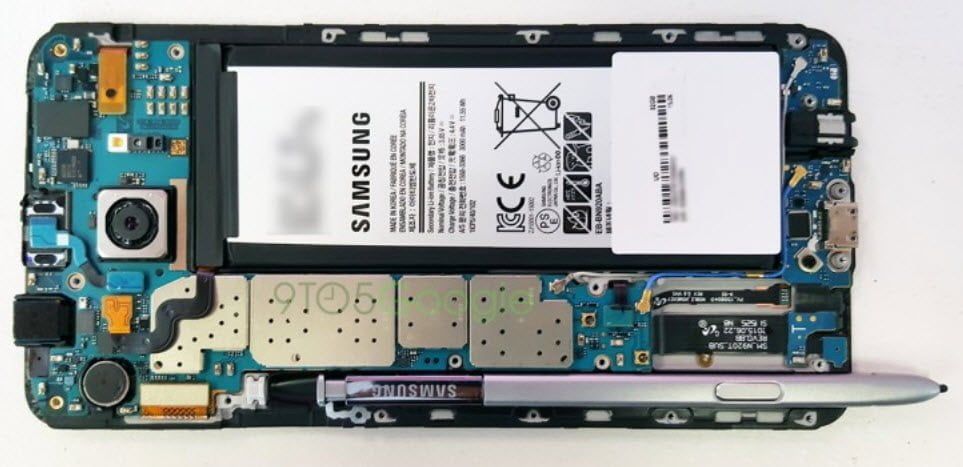
    The past two weeks have been a PR disaster for Samsung when it comes to their latest phablet Galaxy Note 5. Apparently, if you insert the S Pen of the Samsung Galaxy Note5 backwards, and you forget to read the user manual that clearly says that you shouldn’t you are doomed. If you succeed to pry the S Pen out, the Note 5 no longer detects the Pen. So how can you remove the Galaxy Note 5’s S Pen?

    - Advertisement -

    For the lucky few who have the Note 5 and for those who plan to get it, fear not, apparently a simple solution, which can save your precious pen detection feature is available. That is, unless you’ve already managed to take the stylus out, in which case you’re likely past the point of no return.

    As shown in the video above, in order to fix the issue, you will have to use a piece of paper inserted parallel to the stuck S Pen, wraps around it and shields the detection lever as you’re pulling the stylus out. There you go simple clean and easy.

    - Advertisement -

    IN THIS STORY STREAM

    Techjaja Staff
    Techjaja Staff
    A Techjaja 'bot' Profile

    Fresh Tech

    UK’s Visa is going fully digital in immigration by 2026

    The UK Visas and Immigration (UKVI) is phasing out...

    Absa Bank Uganda unveils multi-currency virtual card, Absa Pay, and Absa Pay-by-link

    Absa Bank Uganda has unveiled three powerhouse digital payment...

    Samsung Unveils the Galaxy Z TriFold: A Tablet-Like Foldable Smartphone Hits the Market

    Samsung has finally pulled back the curtain on its...

    Why So Many Online Betting Conversations Start With Betway

    Every industry eventually develops a reference point. A company...
    - Advertisment -

    Discover more from Techjaja

    Subscribe now to keep reading and get access to the full archive.

    Continue reading