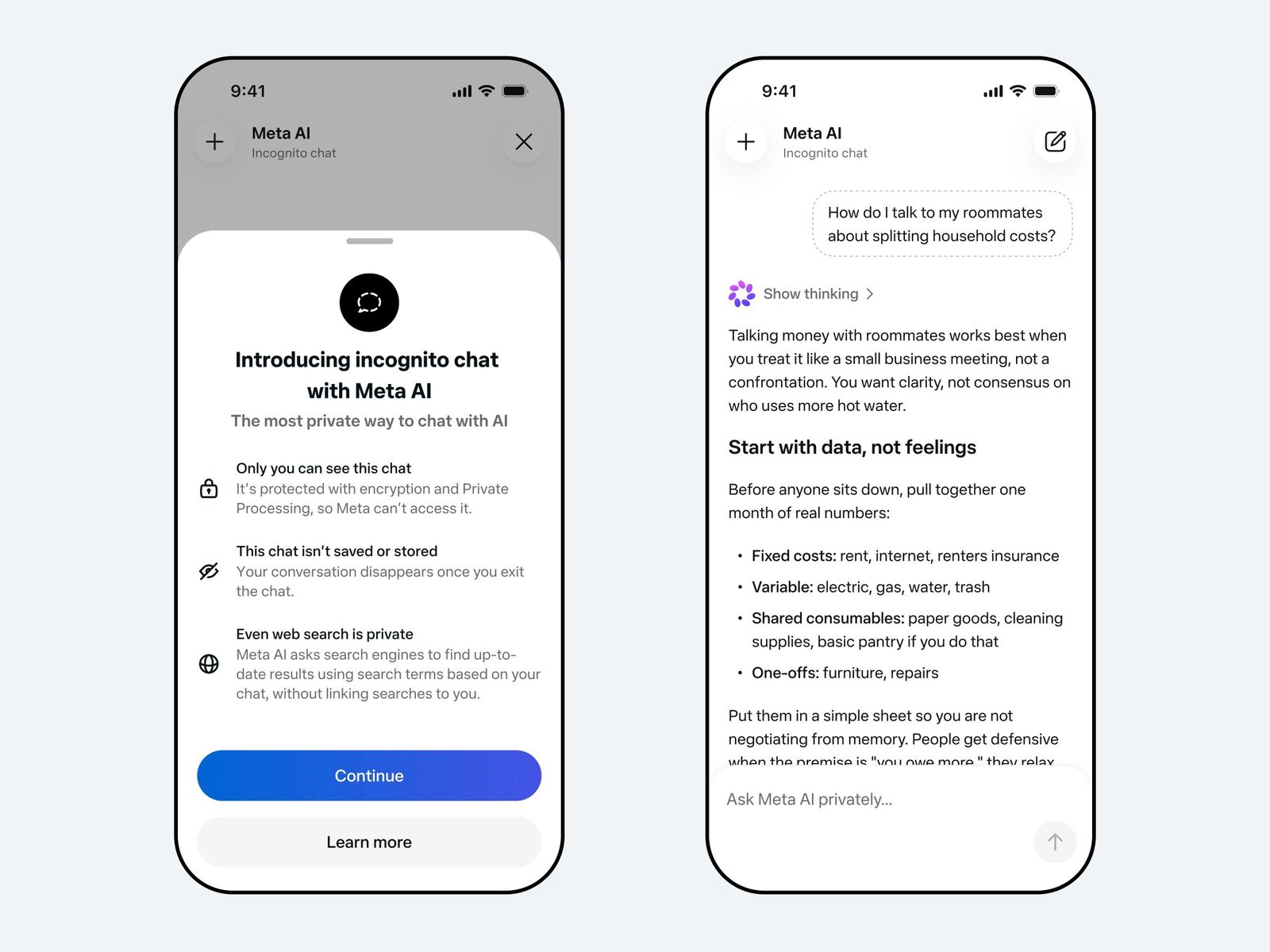


We live in an age where artificial intelligence has become a daily companion for everything from brainstorming ideas to seeking advice on deeply personal matters, privacy concerns have never been more pressing. Users routinely share sensitive details—financial worries, health questions, or confidential work scenarios—with AI chatbots, often without realizing that those exchanges could be logged, analyzed, or stored by the companies behind them.
In this regard, Meta has taken a significant step toward addressing these worries with the launch of Incognito Chat with Meta AI. This new feature promises conversations that are not only temporary but genuinely invisible to everyone else, including Meta itself.
What is Incognito Chat with Meta AI?
Incognito Chat with Meta AI is a dedicated mode for interacting with Meta’s AI assistant on WhatsApp and the standalone Meta AI app. Unlike standard chats, where conversations may be retained for model improvement or internal review, Incognito sessions are designed from the ground up to leave no trace.

Once a user exits the chat — whether by closing the window, locking their phone, or simply moving on — the entire exchange disappears by default. There are no saved logs on Meta’s servers, and the interaction remains completely private to the individual user.
This marks a notable evolution from Meta’s earlier privacy commitments. Ten years after introducing end-to-end encryption to WhatsApp messaging, the company is now extending similar protections to its AI capabilities.
As WhatsApp has stated, Incognito Chat with Meta AI is truly private, since no one can read your conversation, not even Meta. It stands apart from many other AI platforms’ incognito or temporary modes, which often still allow the provider some level of visibility or data retention behind the scenes.
The tech behind the privacy
At the heart of Incognito Chat lies Meta’s Private Processing technology, a secure computing architecture built on Trusted Execution Environments (TEEs). These hardware-based secure enclaves process AI inference in a way that shields messages from Meta’s own systems, engineers, and even potential insiders. Messages are handled in an isolated environment where they cannot be accessed or logged, ensuring the same level of confidentiality long associated with WhatsApp’s core messaging.
For now, the feature is text-only. Users can type questions and receive detailed responses, but image uploads and generation are not yet supported. Safety guardrails remain active, with the AI refusing harmful or problematic queries and steering conversations toward helpful information when needed. This balance of openness and responsibility reflects Meta’s ongoing effort to make powerful AI accessible without compromising user trust.
How to access Incognito Chat
Getting started is straightforward. Within WhatsApp or the Meta AI app, users simply tap a new dedicated icon that appears in one-on-one conversations with Meta AI. This instantly launches an Incognito session, creating a clean, temporary space for private dialogue. The feature is rolling out globally over the coming months, so availability may vary by region and device in the initial phase.
Why Meta launched Incognito Chat now
The timing is no coincidence. As AI chatbots grow more sophisticated, people are turning to them for increasingly intimate or high-stakes advice. Users frequently discuss private thoughts or sensitive scenarios that demand absolute discretion. By offering a mode where nothing is stored or visible to Meta, the company aims to build confidence in AI as a safe tool for everyday life. Meta CEO Mark Zuckerberg has highlighted that Incognito Chat represents a major step forward for private AI interactions.
What’s next for private AI on WhatsApp
Meta has already signaled further expansions. In the coming months, it plans to introduce Side Chat, another Private Processing-powered feature that will let users summon Meta AI for contextual help within any ongoing conversation—without disrupting the main chat or revealing the AI interaction to others. This could prove invaluable for group discussions, quick research, or drafting replies while preserving full privacy.


