


WhatsApp had given freedom to add anyone to any group even when you had made and quit multiple times. It’s annoying. If you wish to prevent someone from adding you to the WhatsApp group, this post would be helpful for you.
The Privacy controls in WhatsApp do not allow its users to block a group directly. However, you could prevent other WhatsApp users from adding you to groups using an option in the privacy settings. So even though you may not have a direct alternative to leave WhatsApp group permanently or restrict WhatsApp group, the steps below will block those annoying users.
Prevent people from adding you to WhatsApp group
Open WhatsApp, and tap on the three dots at the top-right corner of the screen.

Select Settings from the menu that pops up.

On the Settings page, tap on Accounts.

In the Accounts menu, select Privacy.

In the Privacy menu, scroll down and select Groups.
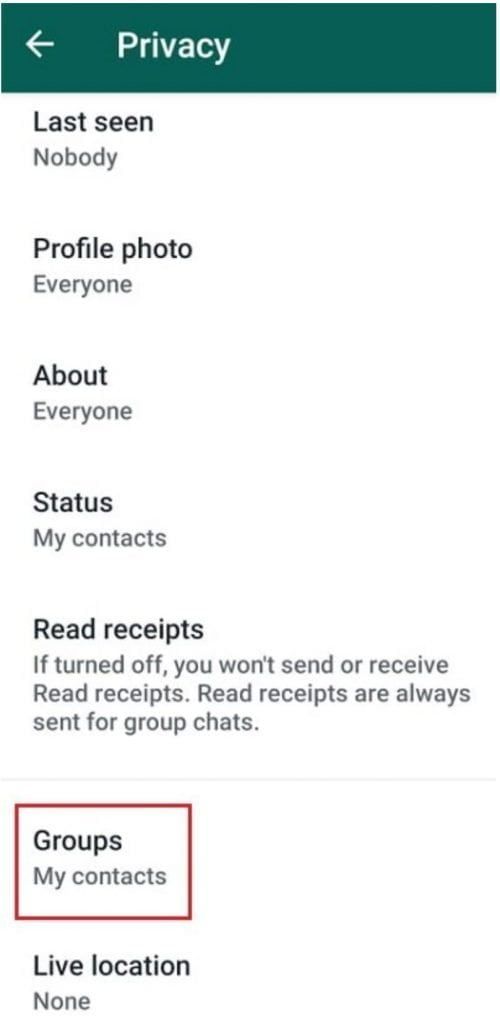
On this page, you could select who could add you to the groups; either everyone, or your WhatsApp contacts, or nobody.
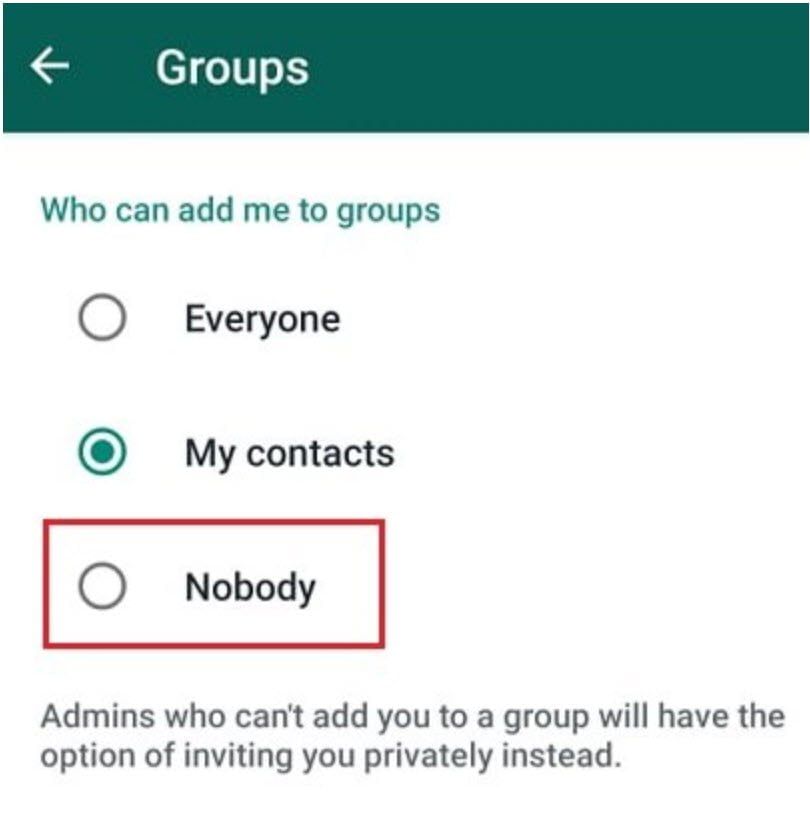
When you prevent admins from adding you to groups by using the privacy option, they can still send an invite you to join the group privately. During the invite, you can see a few members name, the group icon and about the group. While you can always get out of the group, choose wisely.
Make sure that you have updated your WhatsApp Messenger. These screenshots are from v 2.19.115 on an Android phone.
Block a particular person who adds you to WhatsApp Group
That said if you do not want to use this option, but only want to prevent a specific person from adding you to random groups, here is what you can do:
- Go to the group in WhatsApp
- Tap on the subject of the group
- Then tap on the phone number of the admin you wish to block
- If prompted, tap or click Message <phone number> or Send Message
- A new chat with the admin will open up. Tap or click the phone number at the top
- Tap or click Block > Block.
It will make sure that even if the person is not in your contact list, he can be prevented. Since there is no way to block a particular group, it is best to block that person.


