Changing your signature has never been this easy and thanks to the Standard Chartered bank mobile app, this is now possible — the best part of it all is that you don’t need to be a graphics designer. Standard Chartered app doesn’t also rely on the common digital signature that require a user to fidget with trying to sign on a smartphone screen.
A digital signature is a digital code (generated and authenticated by public-key encryption) that is attached to an electronically transmitted document to verify its contents and the sender’s identity. The Standard Chartered app makes use of the camera on your smartphone to make things easy. With this move, it’s clear that the bank understands that their customer’s signatures will change over the years; which is why there is now a shortcut that lets you skip calling or racing to the bank.
ALSO READ: How to Create a Standard Chartered Bank Digital Card

Here is a step by step method of how to update your signature with the Standard Chartered bank app.
1. Log into your Standard Chartered bank app, go to the menu, and select service request.
2. Next, you can select Account Management and then select Update My Signature

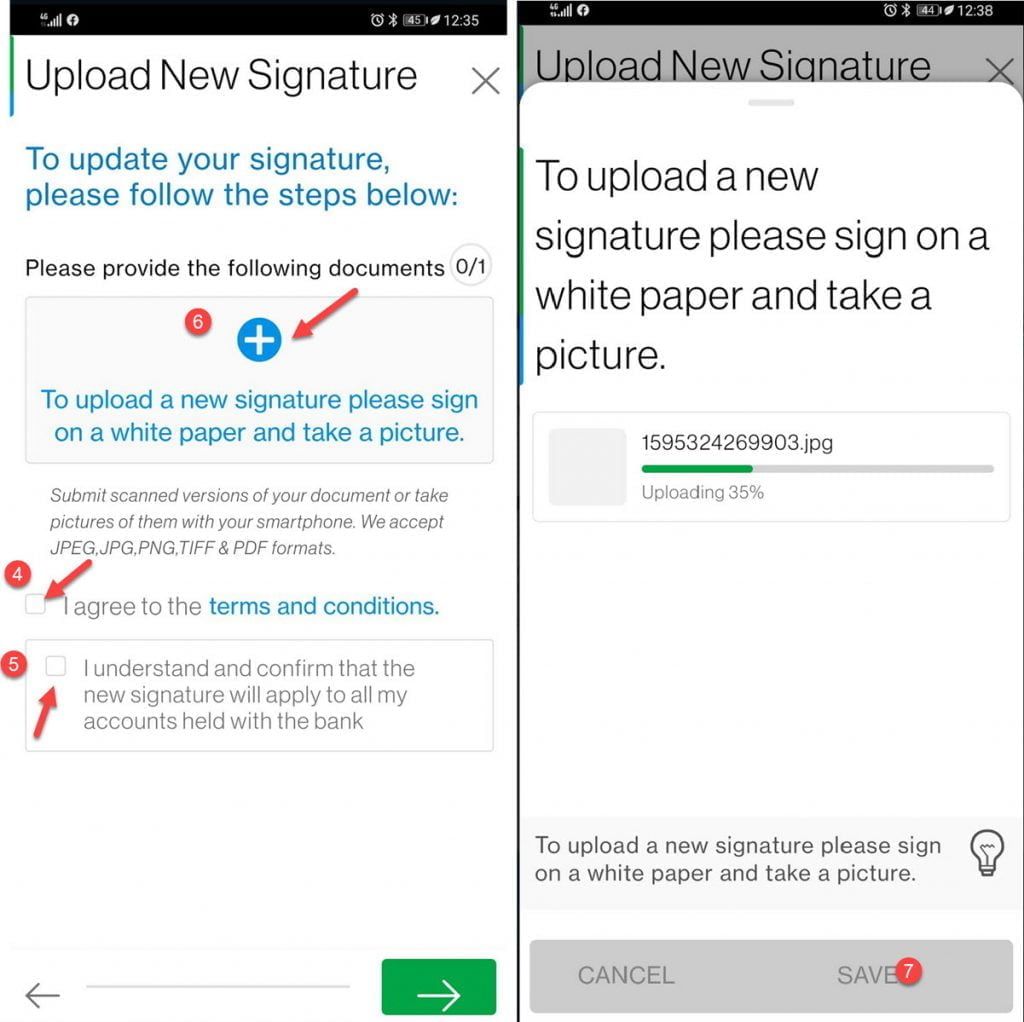
3. Next, you must agree to the terms and conditions and also confirm to the bank that this new signature you are about to upload will be applicable to all accounts you hold with this bank. Just tick the boxes provided to perform these actions.
4. Sign you new signature on a black piece of paper and then select the (+) sign on the app to upload the new signature. Your smartphone will request for camera permissions. Take a picture of your signature and save.
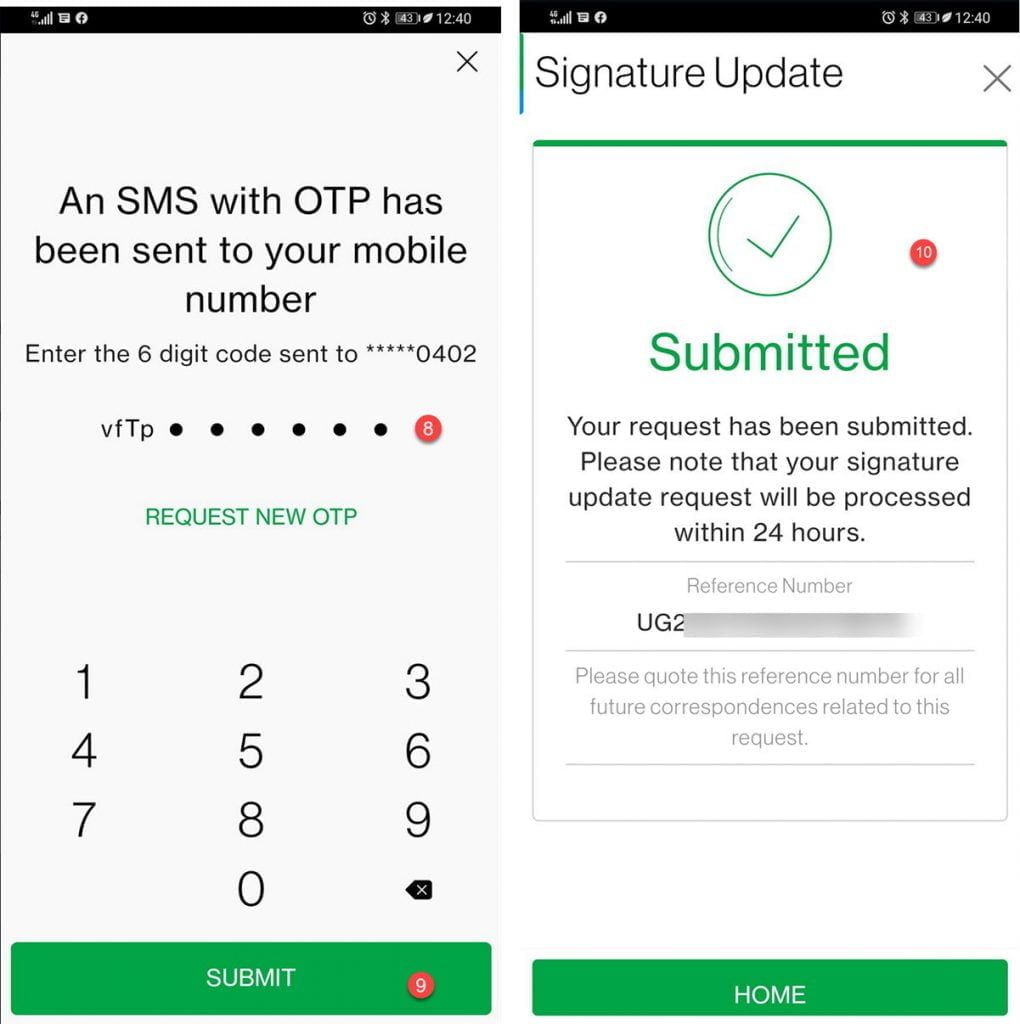
5. You will be sent a 6 digit PIN via SMS which you will have to input into the app. That is it you should give the bank at least 24 hours to process your new signature. It should be noted that the bank plans to close down this service and it will not be available at their Branches with effect from 1st August 2020 and users will only be able to change their signatures via the bank app.