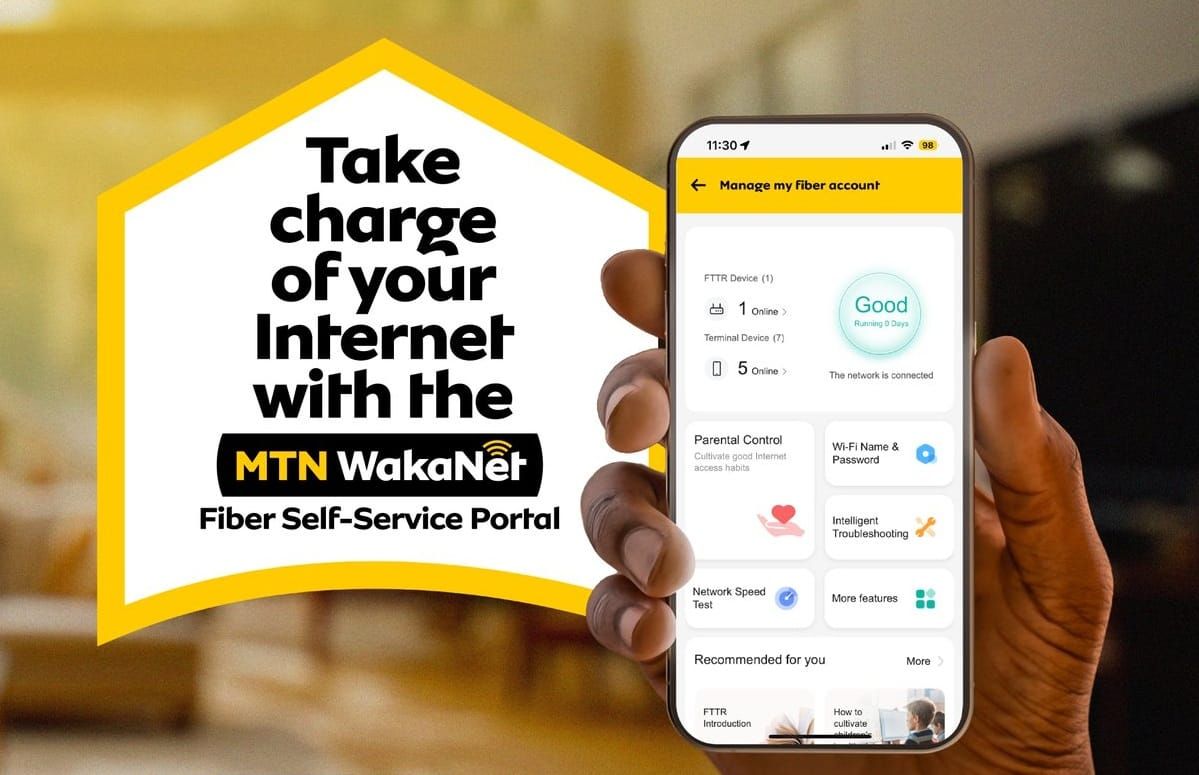


Today, reliable home internet is no longer a luxury. It is typically essential for streaming, remote work, online learning, and family entertainment. MTN WakaNet Fibre delivers exactly that: ultra-fast, unlimited fibre-optic broadband with speeds up to 500 Mbps, supporting up to 32 devices simultaneously.
What makes it even better in 2026 is the newly launched Wakanet Fibre Self-Service Portal, fully integrated into the MyMTN App. This game-changing tool lets subscribers manage every aspect of their home internet directly from their phone; this is with no calls, no queues, no visits to service centres.
Whether you’re a new customer checking coverage or an existing user wanting to tweak Wi-Fi settings at midnight, the portal puts full control in your hands. Here’s everything you need to know to get started and make the most of its powerful features.

What exactly is the Wakanet Fibre Self-Service Portal?
The portal is MTN’s dedicated self-care hub for WakaNet Fibre subscribers. Previously, managing fibre meant USSD codes or calling 125. Now, the MyMTN App serves as the central dashboard for everything from subscription renewals to advanced router controls.
Launched just days ago, it introduces convenient router-level management that was previously only accessible via the physical router’s admin page (192.168.1.1).
Core benefits include instant actions, MoMo integration for payments, real-time status checks, and zero-downtime upgrades. All data usage remains unlimited across plans, and installation is still free in covered areas (typically completed within 3 days).
How to access the Self-Service Portal
Getting started is straightforward and takes under two minutes:
- Download or Update the MyMTN App
Available free on Google Play Store or Apple App Store. Ensure you have the latest version for the new WakaNet Fibre section. - Log In Securely
Use your MTN mobile number. You’ll receive an OTP or can set a PIN/biometrics for quick access. The app uses no extra data charges. - Navigate to WakaNet Fibre
On the home screen, tap Buy or search for “WakaNet”. Existing subscribers will see a dedicated WakaNet Fibre tab. New users tap Request Service or Check Coverage.
Alternative access options for those without smartphones:
- Dial *100*23# for quick USSD self-onboarding and renewals.
- Visit www.mtn.co.ug and use the WakaNet Request Service page for web-based subscription.
Onboarding as a new customer
- Open the app and select WakaNet Fibre > Request Service.
- Enter your location and check fibre availability (the app uses GPS/map integration).
- Accept terms, choose your preferred speed/package (e.g., 100 Mbps, 200 Mbps, or 500 Mbps).
- Select payment method: MTN MoMo, airtime, or card (Visa/MasterCard).
- Complete the transaction. MTN will contact you to schedule a free installation.
Once installed, you’ll receive your Wi-Fi username and password. Enter your router/fibre account number in the app to link it to the portal.
Managing subscriptions
Existing users enjoy seamless control:
- Check Status & Balance: Tap WakaNet Fibre > View Details to see active speed, expiry date, and remaining validity.
- Renew or Upgrade: Choose a new bundle (monthly, quarterly, 6-month, or annual for bigger discounts). Upgrades take effect immediately; payment is instant via MoMo. Note: Upgrading starts a fresh cycle.
- Relocation Made Easy: Moving house? Tap the Relocation feature, enter your new address and preferred date. If fibre is available at the new location, MTN handles the move for free. This implies no downtime, no equipment repurchase.
Auto-renewal (via MoMo) ensures your connection never drops when funds are available.
Key features to look forward to in the new portal
This is where the portal truly shines. MTN has embedded advanced router management directly in the app. No more logging into 192.168.1.1 on a laptop.
- Change Wi-Fi Password Anytime
Forgot your password or want stronger security? Update it in seconds from the app. Changes apply instantly across all devices. - Create Guest Wi-Fi Networks
Hosting friends or family? Generate a separate guest network with its own password and time limits. Keep your main network secure and private. - Set & Manage Parental Controls
Limit screen time for kids, block specific websites or apps, and create schedules—all from your phone. Perfect for families balancing work and school. - Instant Troubleshooting
Experiencing slow speeds or connection drops? The portal runs diagnostics, shows signal strength, connected devices, and suggests fixes (e.g., restart router remotely or flag fibre issues). Green/red light indicators on your router now link directly to app guidance.
These features eliminate the old hassle of router admin pages and put professional-level controls in everyday users’ hands.
Pro tips & common troubleshooting
- Always keep sufficient MoMo balance for auto-renewals.
- For red router lights (optical signal issue) or no internet despite green lights, use the app’s troubleshoot tool first; as it often resolves minor glitches.
- Packages start from around UGX 130,000 (check app for current promos). Longer-term plans offer up to 20% savings.
- The service follows a Fair Usage Policy to maintain quality for all, plus to avoid resale or heavy redistribution.
Is the Self-Service Portal a Game-Changer?
Gone are the days of waiting on hold or driving to an MTN centre. With the WakaNet Fibre Self-Service Portal, you control your home internet experience 24/7, from upgrading speeds for a big football match to creating a guest network for visitors. It saves time, reduces frustration, and maximises the value of your unlimited fibre connection.
Ready to take control? Download the MyMTN App today, link your WakaNet Fibre account, and explore the new portal.


