


Ever wanted not to get any distractions to concentrate on whatever you want to do? This means turning off the constant ping of notifications and messages coming from your smartphone, Android’s new Focus Mode can help you resist distractions. Not looking at your phone when you have decided to focus on another task sounds easy, but with the frequency with which our modern devices try to pull us back in, the temptation is always there. “I’ll just check this message really quickly”, you’ll think, and before you know it you’ve spent 20 minutes browsing Twitter.
As part of Android 10’s digital well being, Focus Mode can temporarily pause apps that are the best at distracting you, such as social media and messaging apps like WhatsApp and Facebook. With Focus Mode, you can silence those apps so your smartphone will not ping with notifications. This is slightly different to Do Not Disturb, which will silence your entire phone. After all, you may want to leave the door open for important work apps such as Slack to distract you, whilst shutting off others that are less important at that moment in time.
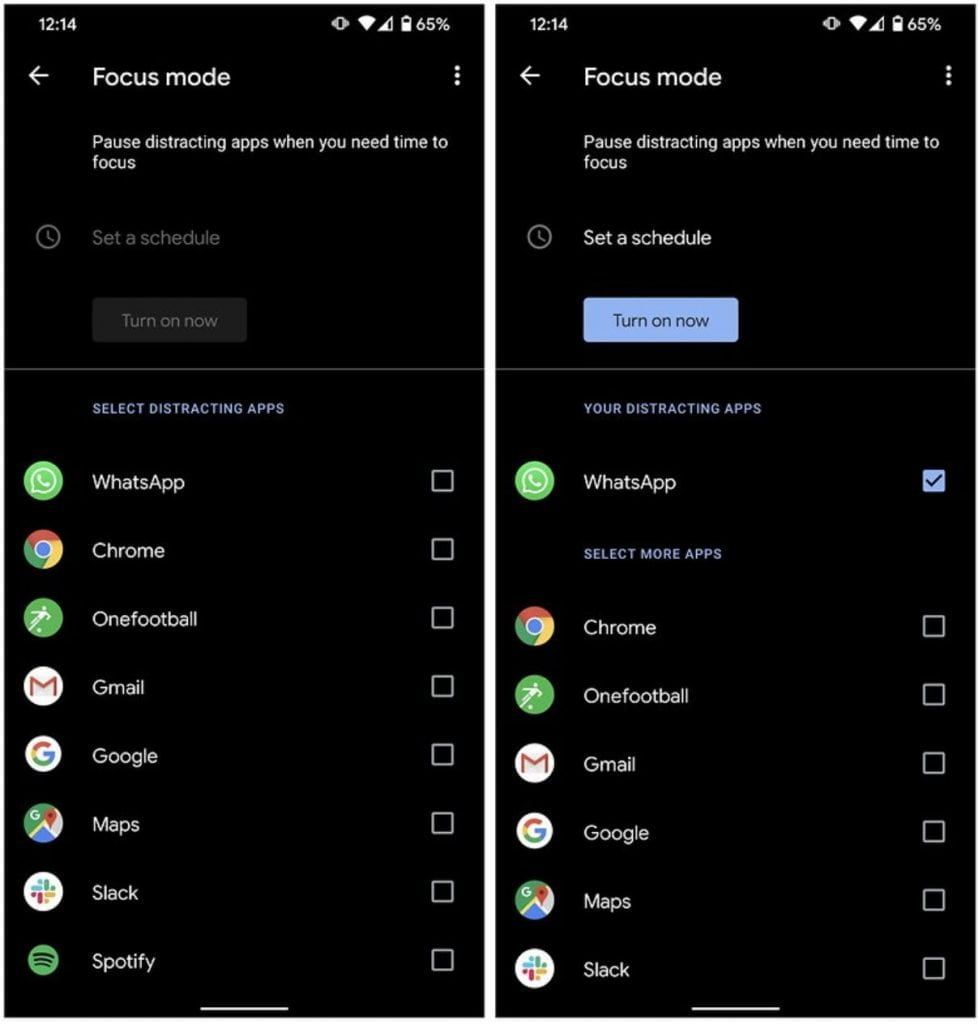
With Focus Mode, you can also set schedules that will automatically turn on at certain times of the day, such as when you are at school or work. You can also opt to ‘take a break’ from your focused activity and turn notifications back on for 5, 10 or 30 minutes. Here’s how to use the feature.

- Go to Settings and then Digital Wellbeing & parental controls.
- Find Focus Mode under Ways To Disconnect.
- Select the apps you want to refrain from distracting you from the list.
- Tap Turn on now.
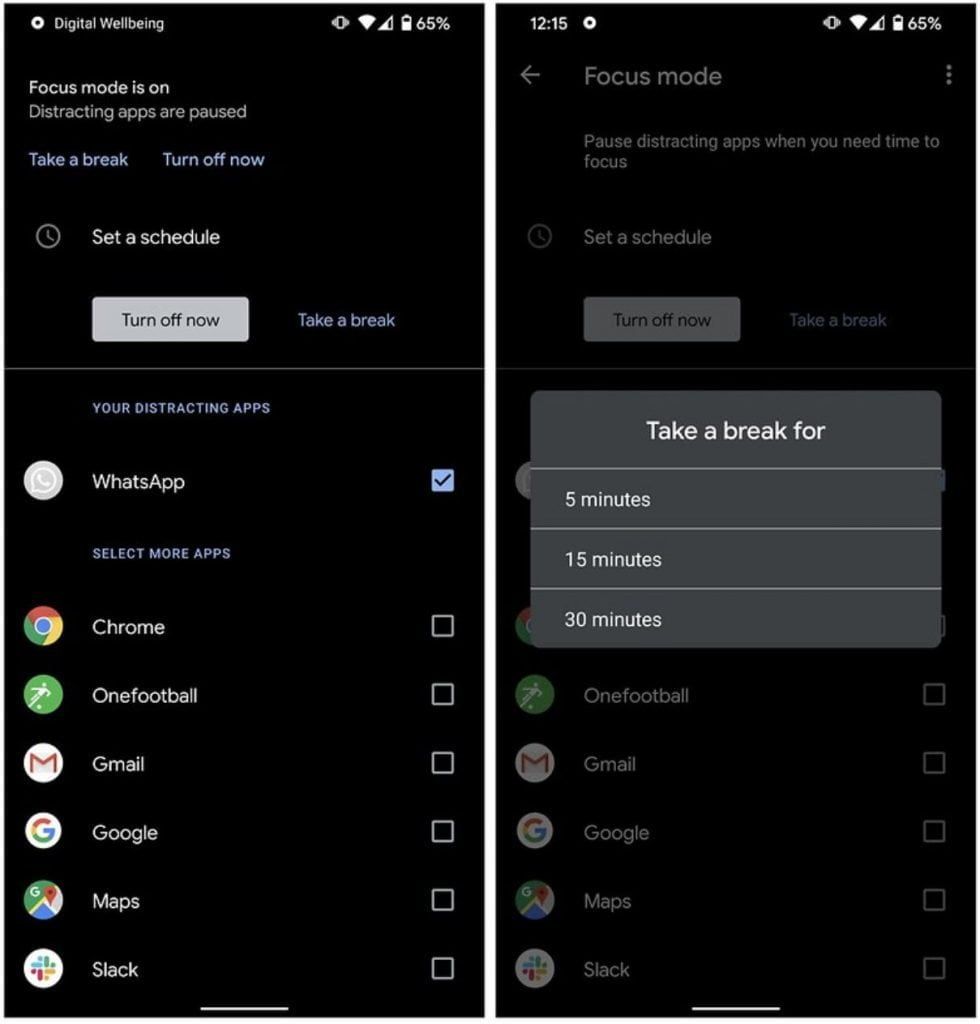
Once Focus Mode is switched on, you can select two options to turn it back off. Turn off now will completely turn off Focus Mode and go back to your phone’s default notification settings. Take a Break will allow you to select a period of time you’d like to reopen notifications for your selected apps. You can see what I mean in the screenshot above.
Have you tried Android’s Focus Mode yet? What do you think about this new feature? Share your thoughts below the line.


