

That moment of panic when you give away your Android phone to a friend who later one day calls you in regards to the compromising nude selfies they found on your phone. Last you remember is that all information was deleted or you had reset the device. Avast, recently released a report that pointed a finger at Android’s factory reset abilities and implied that they don’t actually delete your data. Basically when you sell or give up your phone, you’re actually giving up a a whole chunk of your digital self to someone else.
This is what happens when you think you have reset or deleted your data , you are simply telling the file system “this data is safe to write over with other stuff.” So you don’t really get rid of all those digital 1s and 0s. If you had to really delete them, it would be slow, and it would also shorten the lifespan of your flash storage.
If you feel the stuff on your old phone or tablet that you are about to give away is very sensitive, this tip will make sure your data is locked away forever from preying eyes.

Cipher your data
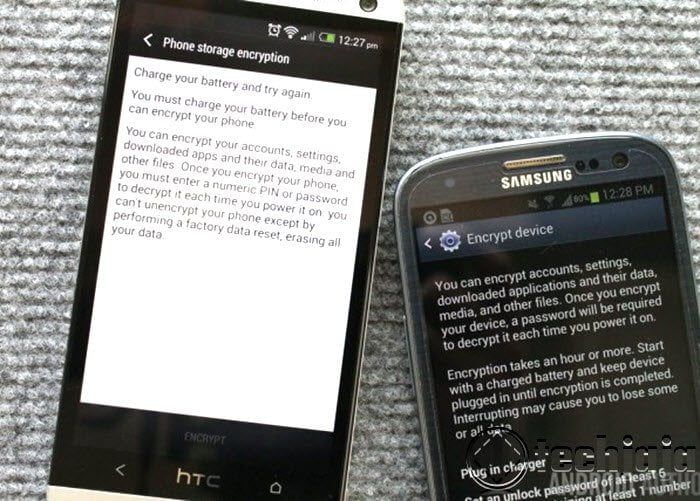
Ciphering also known as encryption is a powerful tool and you don’t need fancy software to securely wipe your phone and make it ready to sell or giveaway, all you need to do is encrypt it first. Encryption is the conversion of ordinary language into code and it will be the one and only step you will need. Data ciphering adds an extra layer of protection to your device, making it more secure than one with unencrypted data. Take note, this a little time consuming than simply resetting your phone, what it does is to make sure that someone with the knowledge to get to the data you left behind will have to tear down one heck of a wall to do it. CAUTION: This process can’t be turned back.
Most Android phones have this capability, just go to Settings, and under Security, you’ll see a few settings for device encryption. This also depends on your device maker and Android version you have. You can also have the data on your external storage SD card encrypted.

As I said before, the device will take a while to encrypt depending on the amount of data you have on your device, it can take up to an hour or two. But when this done, rest assured that even if you do a factory reset no one will retrieve your old info.


