MORE

    How to Alter the voice in your Android Phone

    What? My Android Phone has a voice? Yes it does, and for those who need a digital voice companion to help them navigate around their Android phone’s menus worry not we’ve got you covered. Am sure some people get tired of hearing that robotic voice.  This feature is mainly used by the visually impaired but we are sure there are some of you who would want to try it out for fun. So if you are considering to alter this voice, we here is how it can be done.
    1. Go to settings
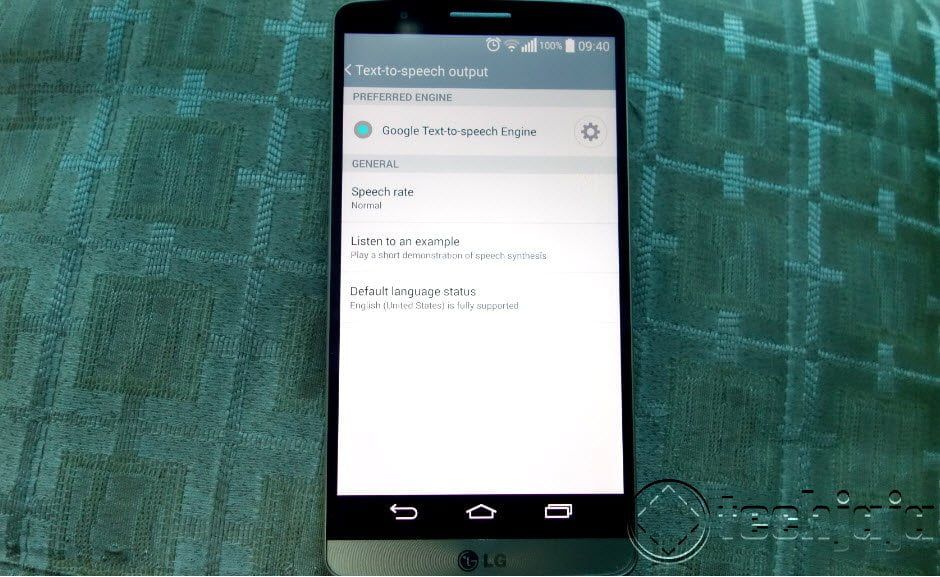
    2. If your phone has Accessibility, go to the Text To Speech Option
    3. To change voice you can tap on the gear but if you want a more natural text to speech synthesis, choose Google text to the speech engine.
    4. You can also download other speech to text engines from the Google Play that will allow for more voices and languages. Samsung has one it uses for its voice recognition, it’s worth a try but Google’s text to speech engine is better.


    - Advertisement -

    IN THIS STORY STREAM

    Farooq Gessa Mousal
    Farooq Gessa Mousal
    Techjaja: CTO

    Fresh Tech

    Airtel Teams Up with SpaceX’s Starlink to Bring Phone Signal to Remote Areas

    Imagine you're hiking in a remote part of Africa,...

    Airtel Africa partners with SpaceX to bring Starlink D2C connectivity

    Airtel Africa has announced a strategic partnership with SpaceX...

    CFO Andrew Bugembe: MTN Uganda leans on transparency for steady growth

    MTN Uganda anticipates closing the financial year with good...

    Uganda’s Facebook Ban: VPNs Won’t Save You, Says Regulator as 2026 Elections Loom

    In a stark warning delivered at the Sheraton Hotel...

    Tracking Kiira EV Kayoola e-Coach’s 13,000 km round-trip journey from Kampala to Cape Town

    Imagine driving from Uganda all the way to Cape...
    - Advertisment -

    Discover more from Techjaja

    Subscribe now to keep reading and get access to the full archive.

    Continue reading